
I actually built Cher's closet from Clueless
A personal digital wardrobe app inspired by Clueless, built for someone who takes her style seriously.
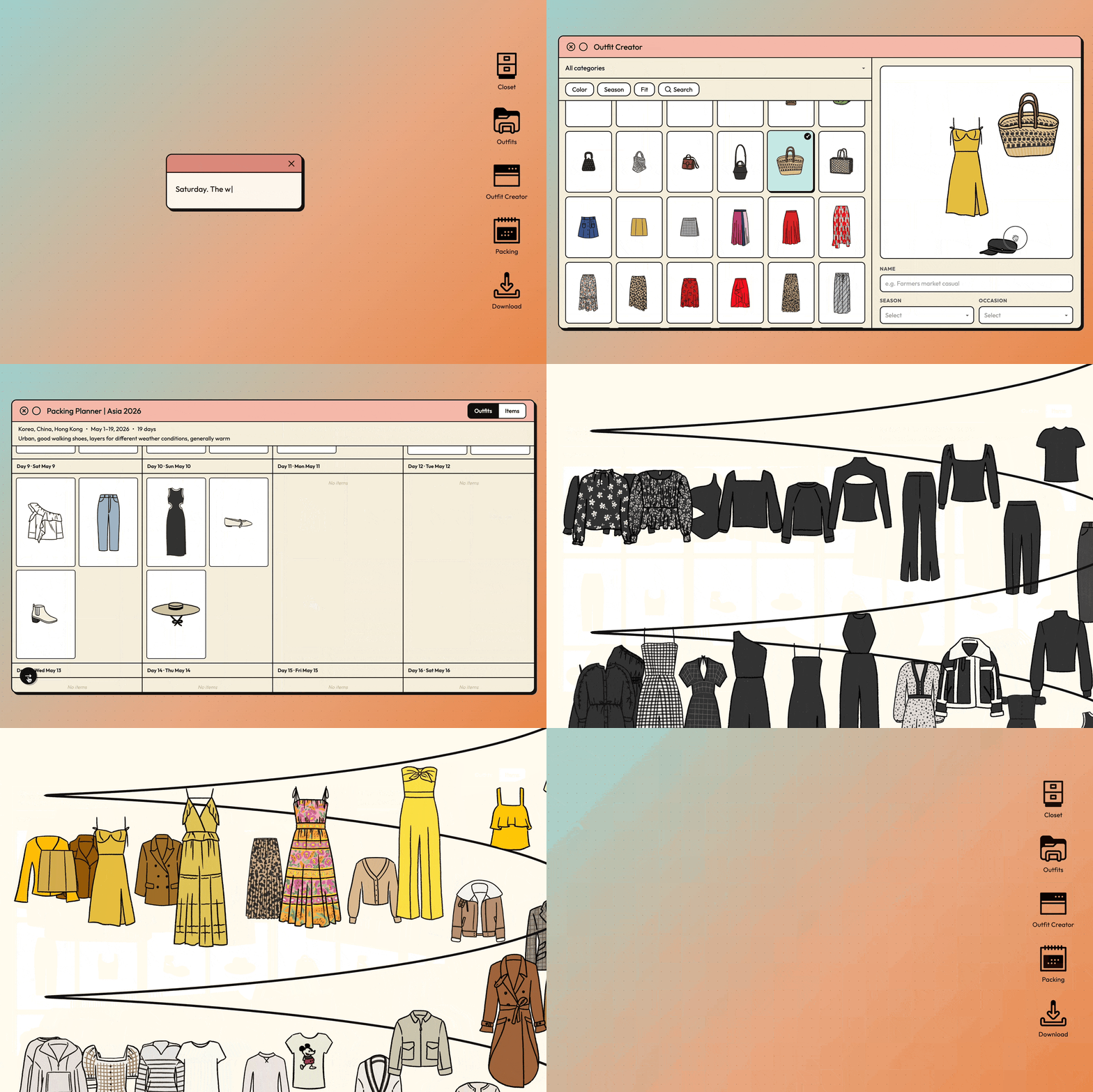
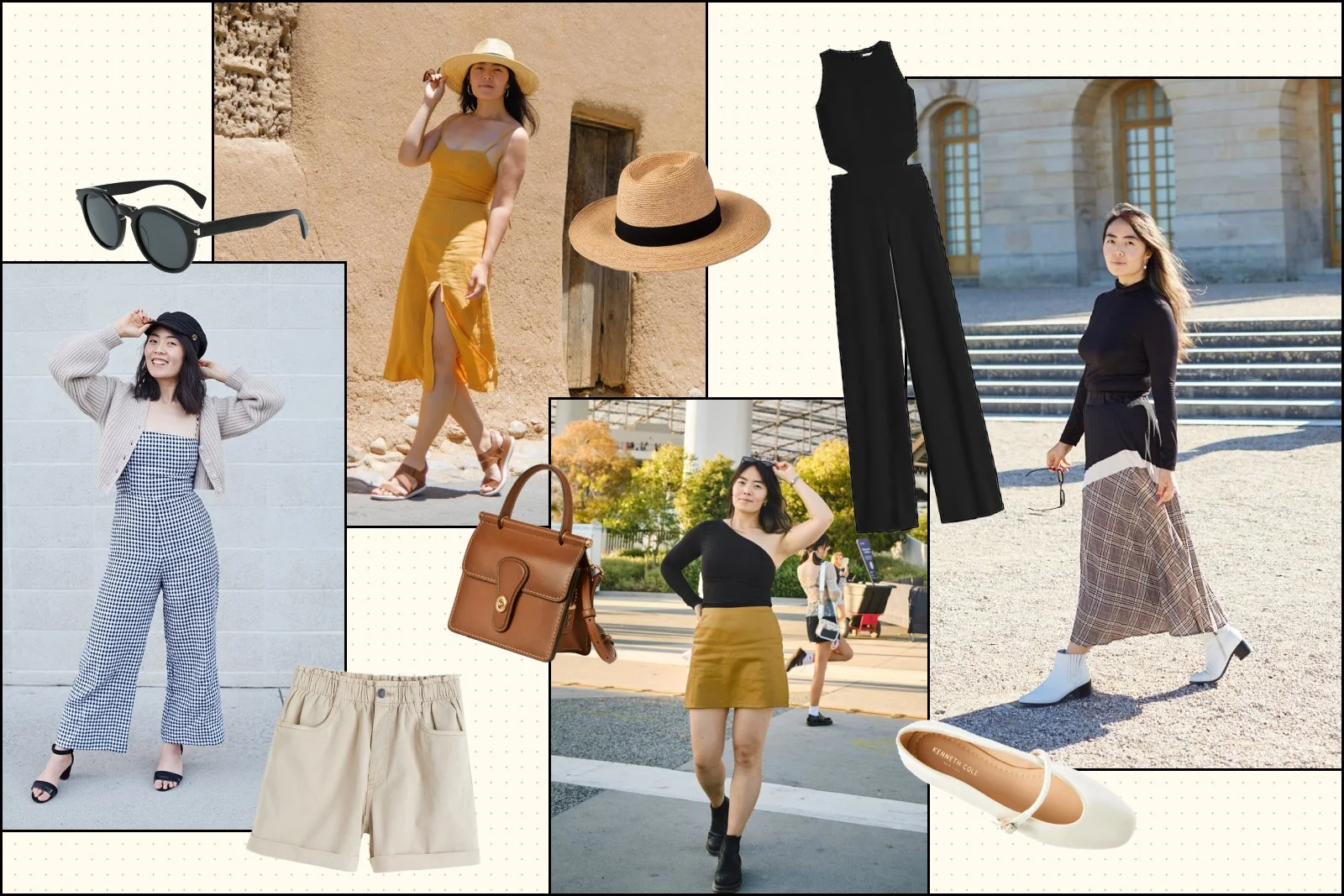
Over the last few years, I built a wardrobe collection I love, drew my entire closet by hand, designed and prototyped my virtual closet app, and wrote about my personal style philosophy. I had all the ingredients of a digital wardrobe app.
This month, I finally built it. Welcome to my digital dream closet.
The Idea
When vibecoding entered my radar early February, it unlocked a new mode of creating. I took a crash course over a weekend, then immediately started dreaming about what I could build. I wanted to start with something that genuinely excited me. Why not just go right into building my dream project?
Ideation
I started by asking Claude to research my existing creative work and generate ideas. From there I landed on Cher’s closet and brainstormed the features with AI through a back-and-forth that felt surprisingly collaborative. It asked me clarifying questions and produced a project plan: tech stack recommendation, data model, build order, and where to start. Even though I’d designed bits and pieces of this app concept before, building it with real data involved a lot more work.
Planning
I spent three days in planning mode with Claude, moving from vague ideas to a detailed step-by-step plan. The time I invested here paid off as I fed it context (in the form of brain dumps) and it proposed different approaches for different features. When I wanted to pressure-test technical feasibility, I asked. It felt like sitting next to a super patient and knowledgeable engineer who answered all my dumb questions.
How should I name my assets?
Does the LLM have fashion knowledge, and can it help me make a “Magic Build” feature? How would the AI integration actually work?
Can I feed the LLM with existing writing about my personal style to create a system prompt that knows my preferences?
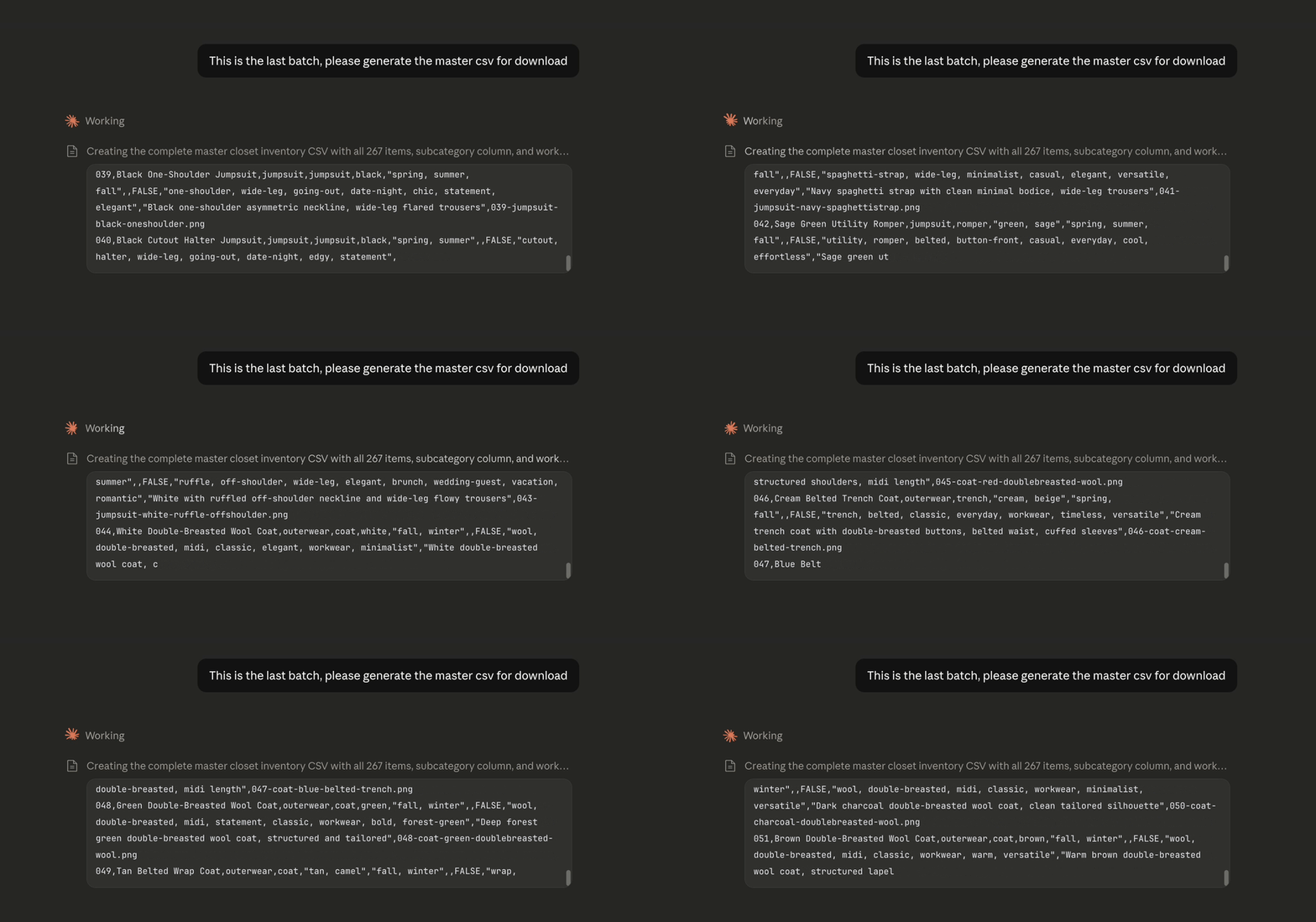
At one point, I started manually cataloging my entire wardrobe into a spreadsheet before realizing I wasn’t maximizing AI’s full potential. So I asked Claude to do it instead, and it delivered! With screenshots of my illustrated clothing pieces, AI not only generated accurate metadata but also explained how certain tags will make the Magic Build feature work better. At the end I used it to automate a laborious task I’d always done by hand — renaming all my image assets in bulk. That was game changing.
Design
The next step was design, which was entirely mine. Claude kept offering to help, and I kept telling it to wait. The human has to do something, right?
I went for a retro computer UI visual style and 90’s desktop navigation to pay homage to the era of the Clueless movie. What would Cher’s wardrobe computer would look like if a little more grown-up and modern?
Features
And then I built the thing. Because AI answers to my every request, I took advantage and nitpicked at every detail without the usual guilt around engineering effort delaying ship dates. For the first time ever, all these visuals are screen recordings of the actual app, not prototypes.
Welcome screen
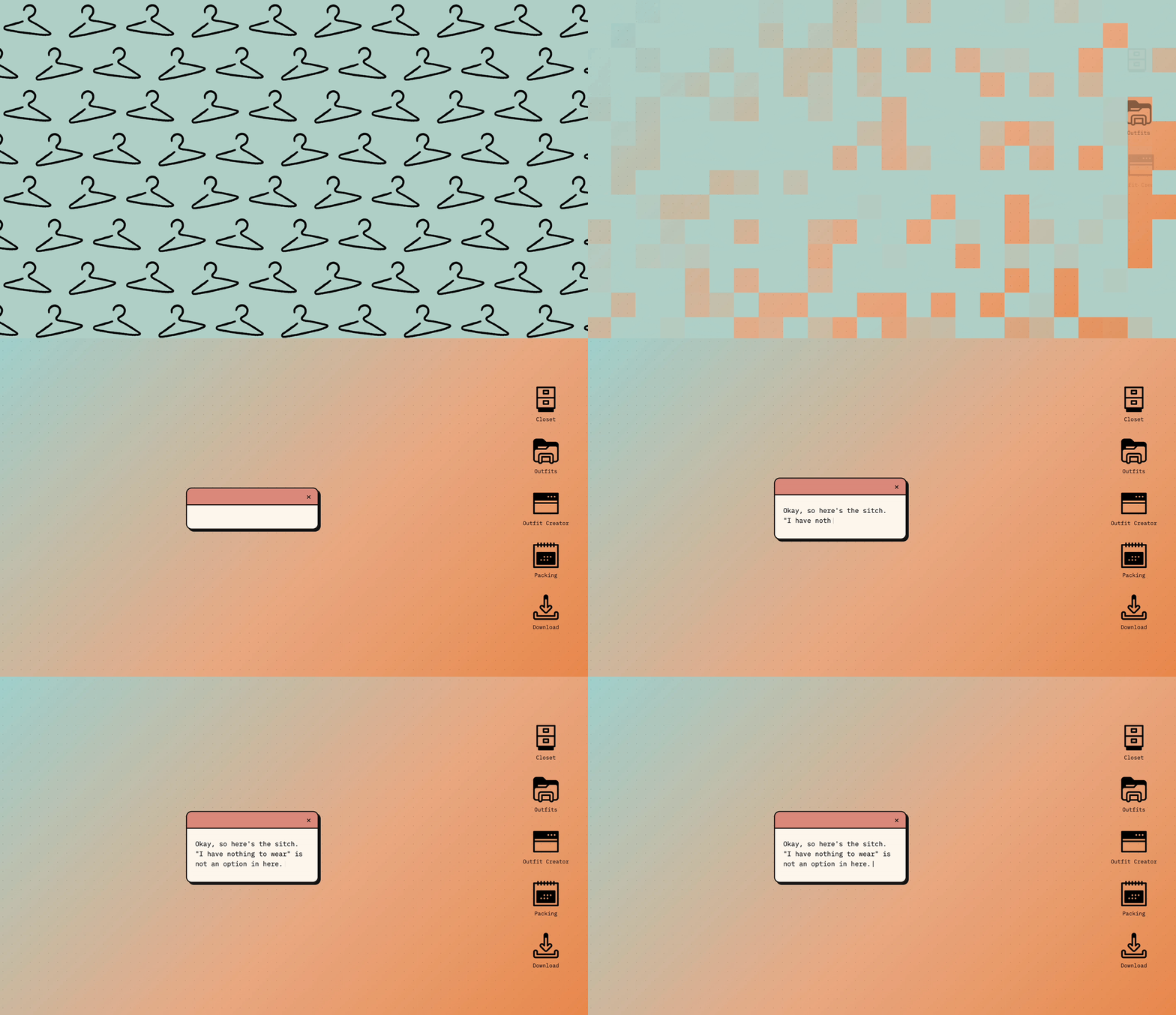
A loading screen introduces the app, faithful to my original design and directly reminiscent of Cher’s closet scene in the film. The animation was surprisingly difficult to describe in words when prompting the build.
The pixel transition animation into the home screen and startup jingle are retro-inspired. I added typewriter sound effects that sync with the welcome message.
A dynamic welcome message appears at the start of every session, chosen at random from a list of options. Claude helped generate the options in the personality of Cher Horowitz.
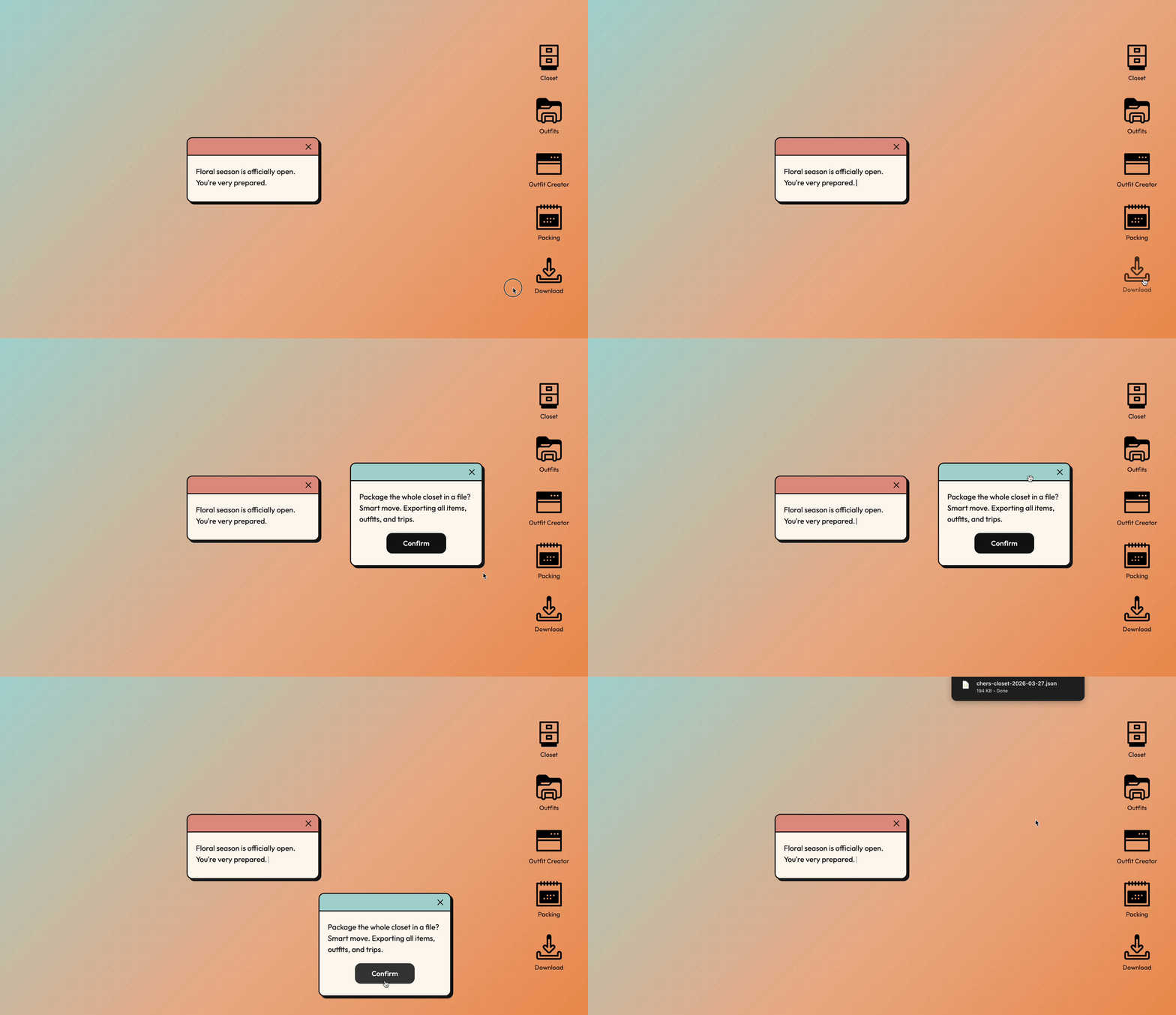
A “Download” feature allows me to back up the entire closet to my local drive when needed.
The Closet
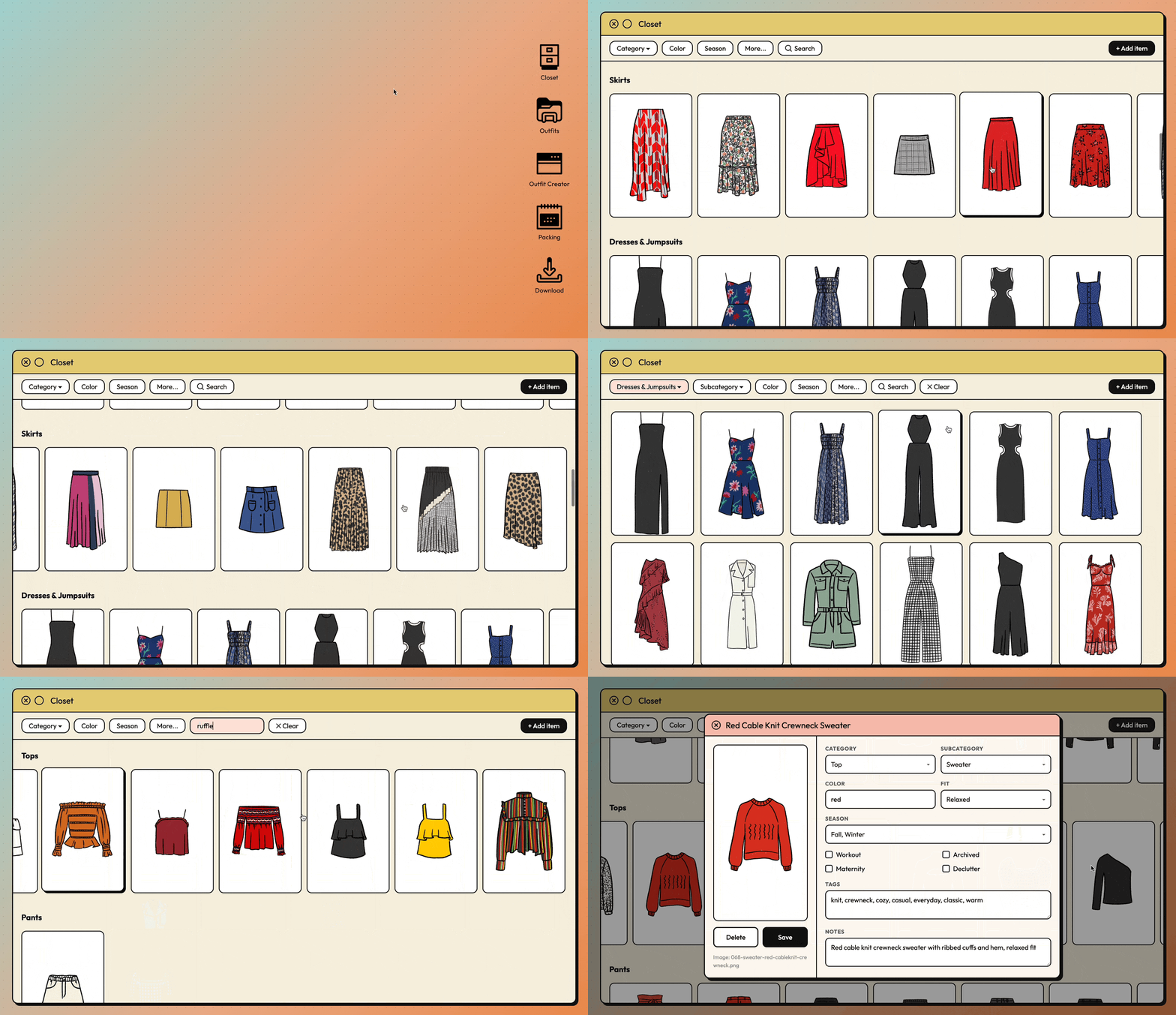
The closet is where I browse and edit my full wardrobe inventory. All the data and assets are imported from a local spreadsheet, and I can make edits, save changes, and download updates at any time.
Since I wanted to organize all 267 items in a way that makes most sense to me, I visualized the closet as category carousels with filters to adjust the grid as needed.
I built flags for subsets of clothing — workout, maternity, and archived — that let me to hide certain items from the main view, the same way I'd physically pack clothes away in real life.
A search bar filters by any descriptor keyword in an item's metadata, all of which was AI-generated during the planning phase.
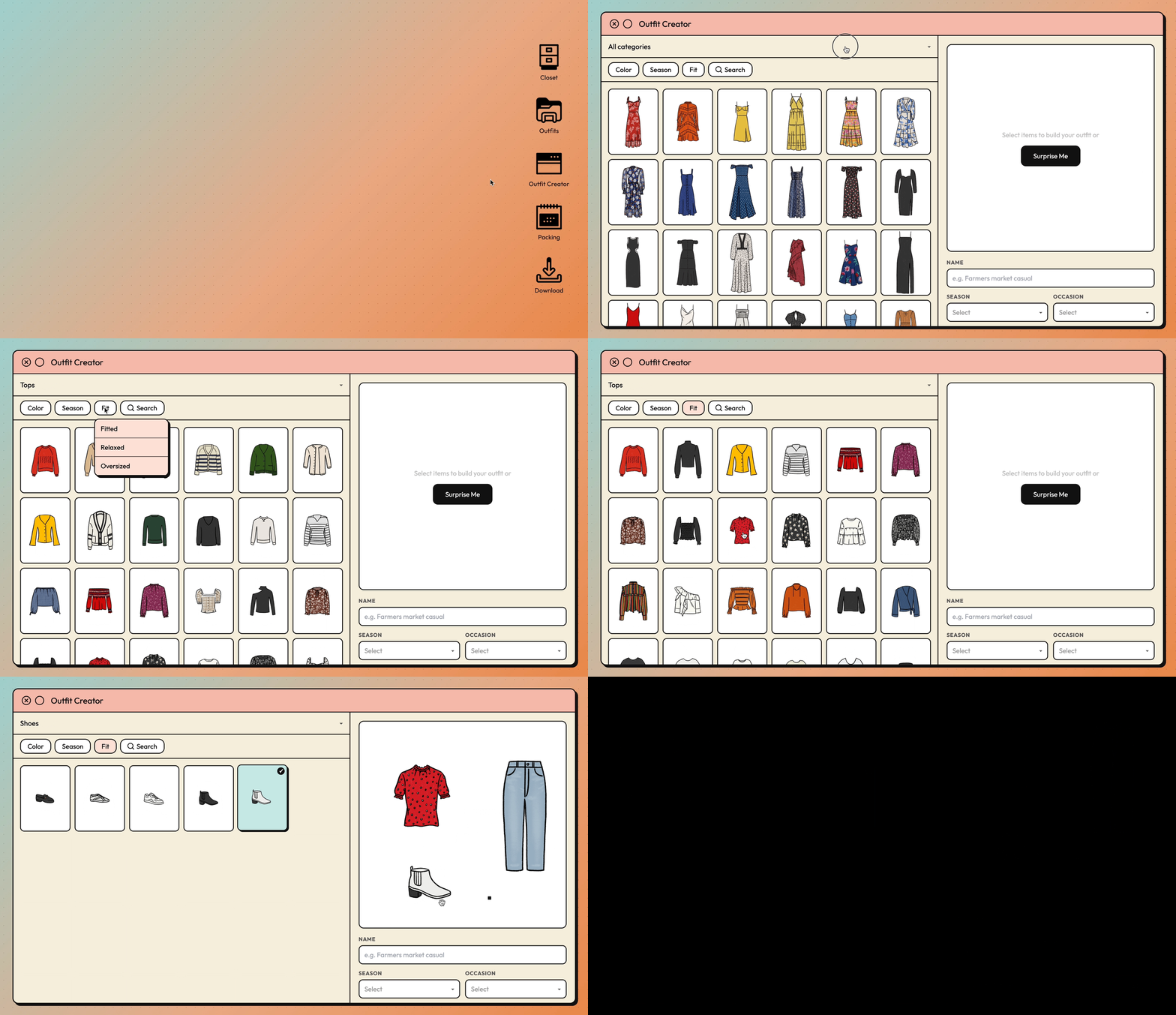
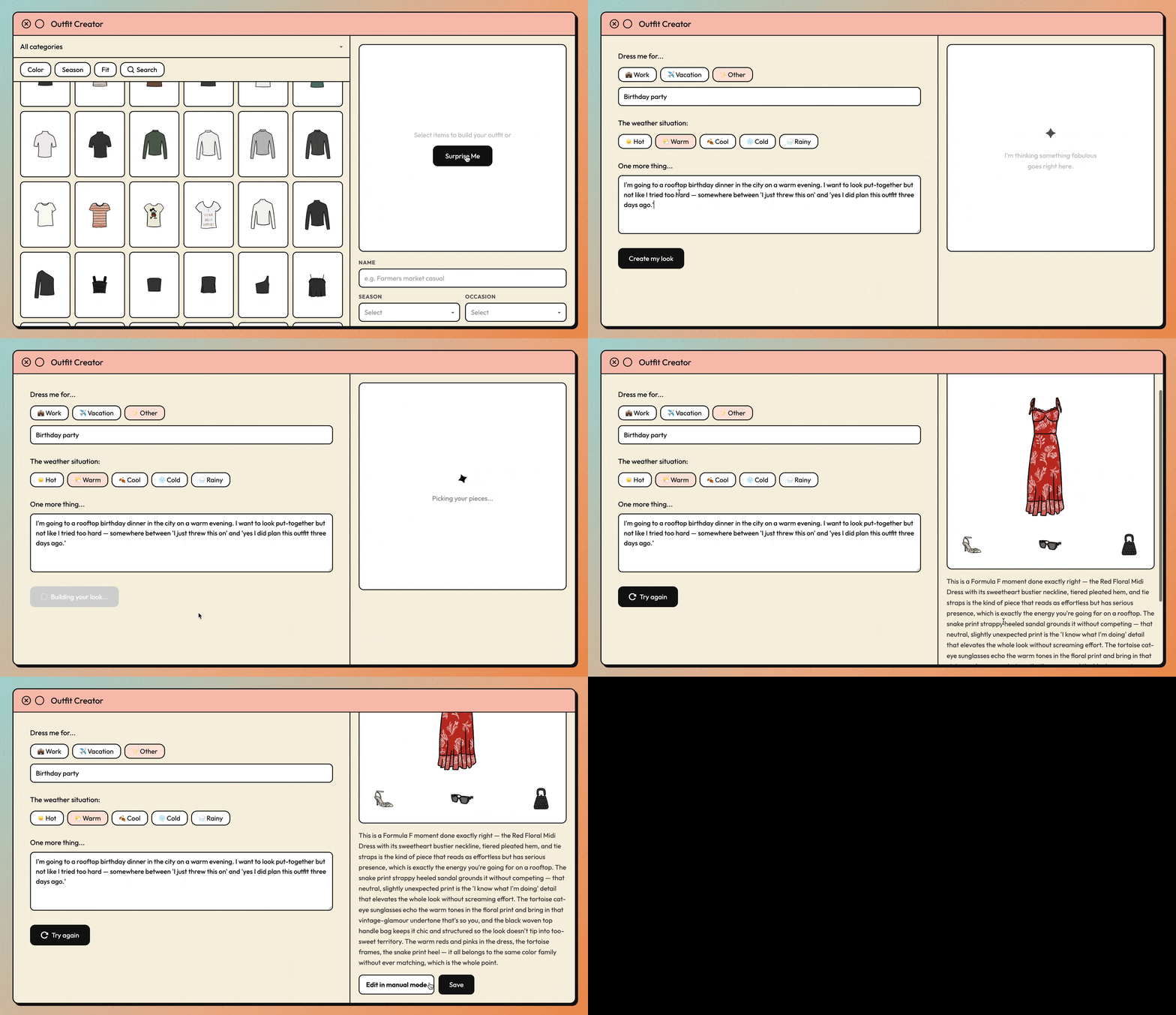
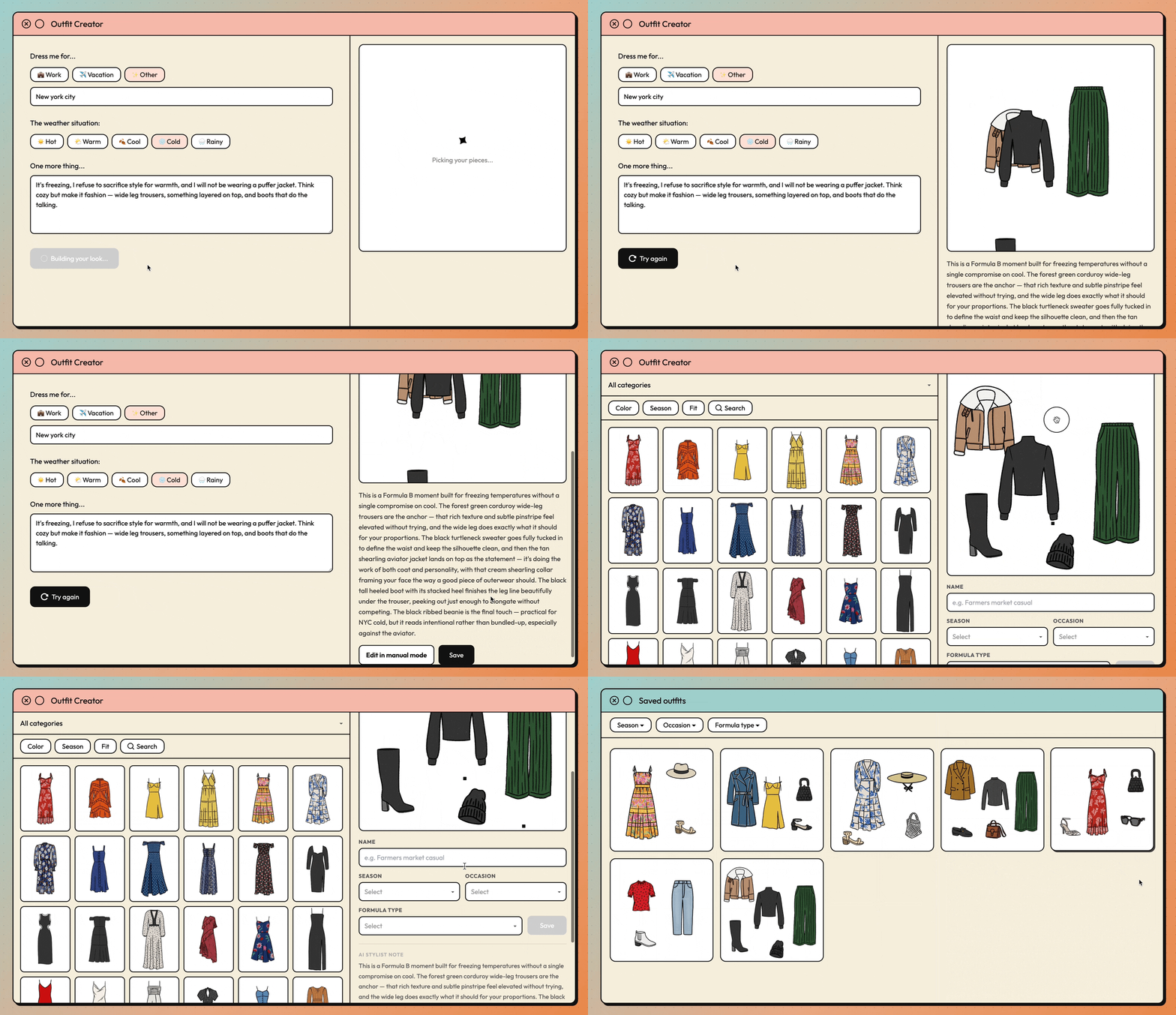
Outfit Creator & AI stylist
This is where the real fun begins. Anyone remember Polyvore?
The manual outfit creator is self-explanatory, but I wanted a smarter layer on top. Magic Build is a feature I explored with Claude about during planning and ultimately made functional. By connecting Anthropic API, the feature uses my wardrobe metadata and my style philosophy (generated from this blog post into a system prompt) to create outfits that not just follow general fashion principles, but also my personal ones. Every generated outfit comes with a stylist note that articulates why these specific pieces work for the occasion. This is the element that made Cher's closet feel like something we all wanted, and now it's finally possible.
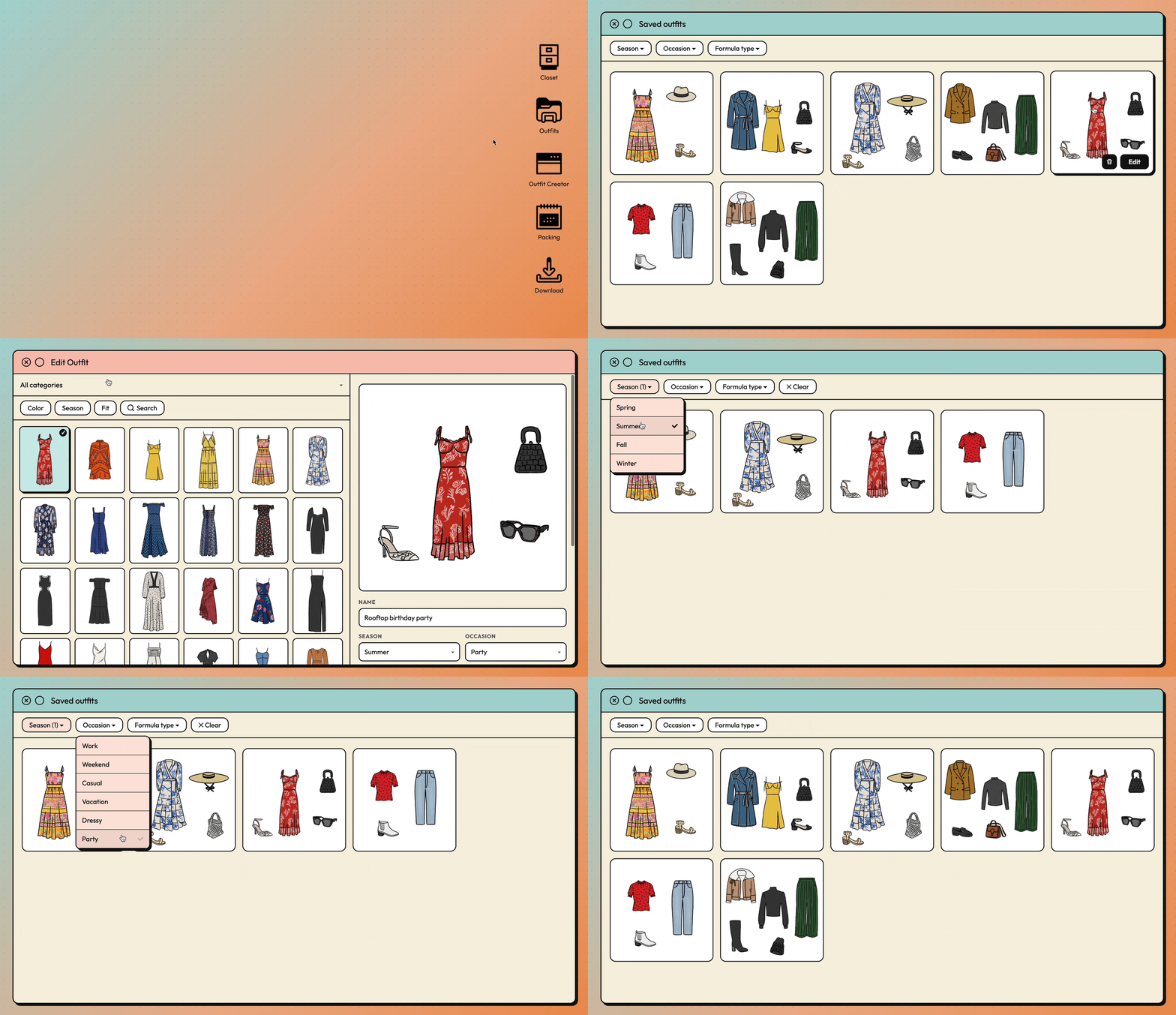
Saved outfits
A natural extension of the outfit creator is a gallery of saved looks. This view filters by season, occasion, and formula type, and drops straight into edit mode from any outfit card.
Packing Planner
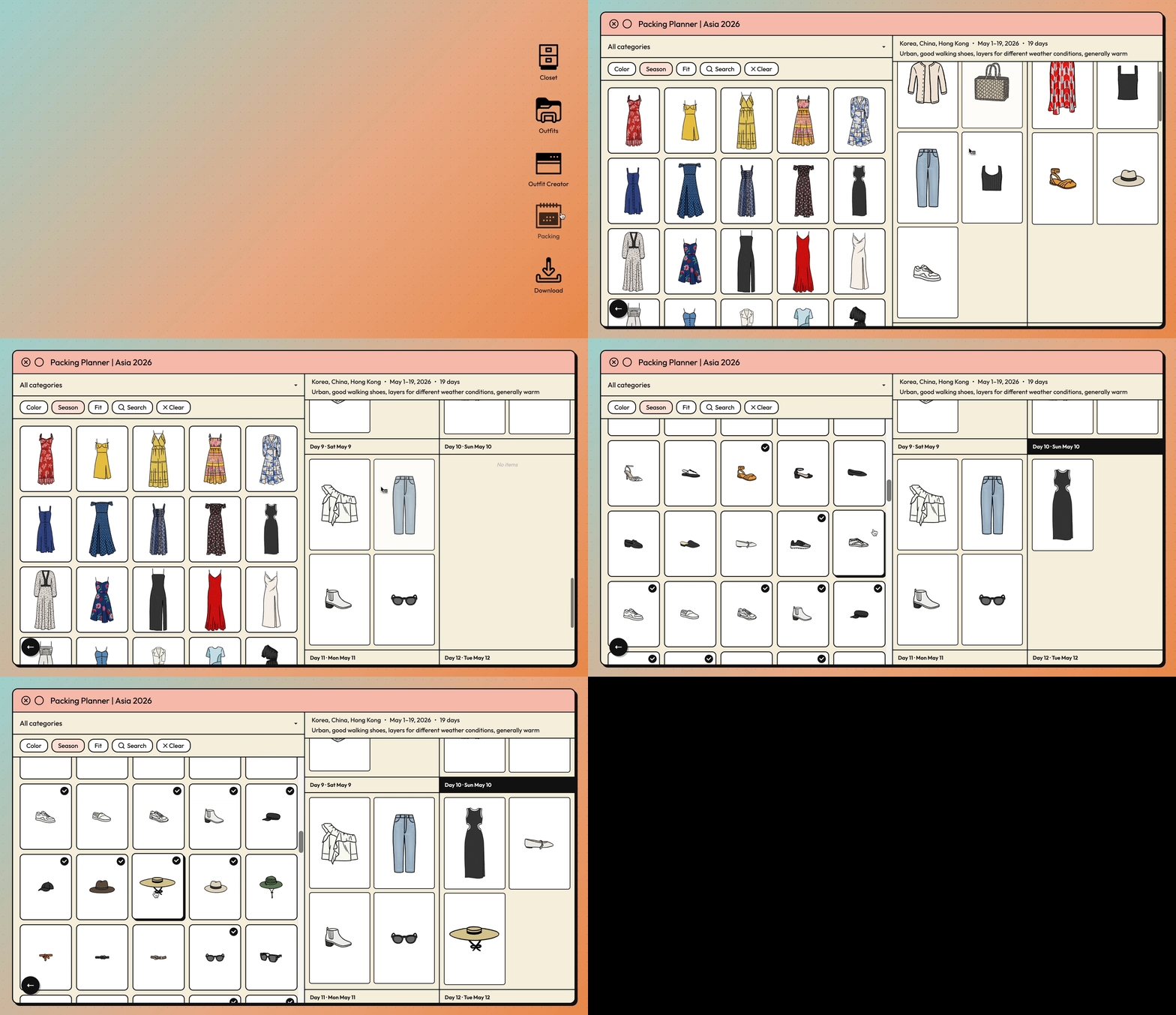
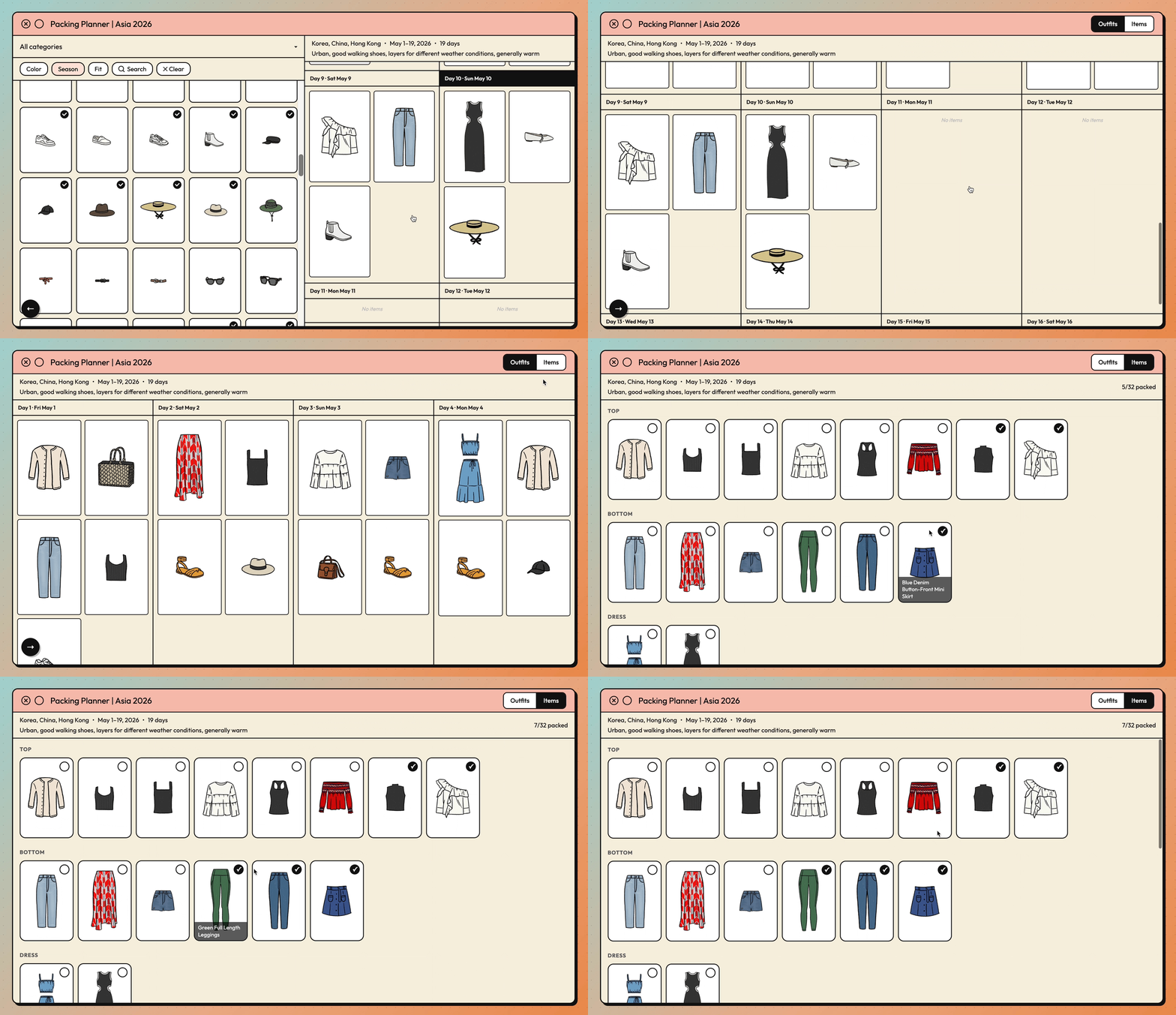
I pack for trips in a particular way: I plan every outfit before a single item goes in the suitcase. This feature that allows me to do that digitally. I create a trip with dates, and the page generates a day-by-day grid to populate with items from my closet.
From here I can collapse the closet panel to reveal a full-screen view, and toggle between outfit and item view. Once I’m done planning, I move into item view to check off each item as I physically pack it.
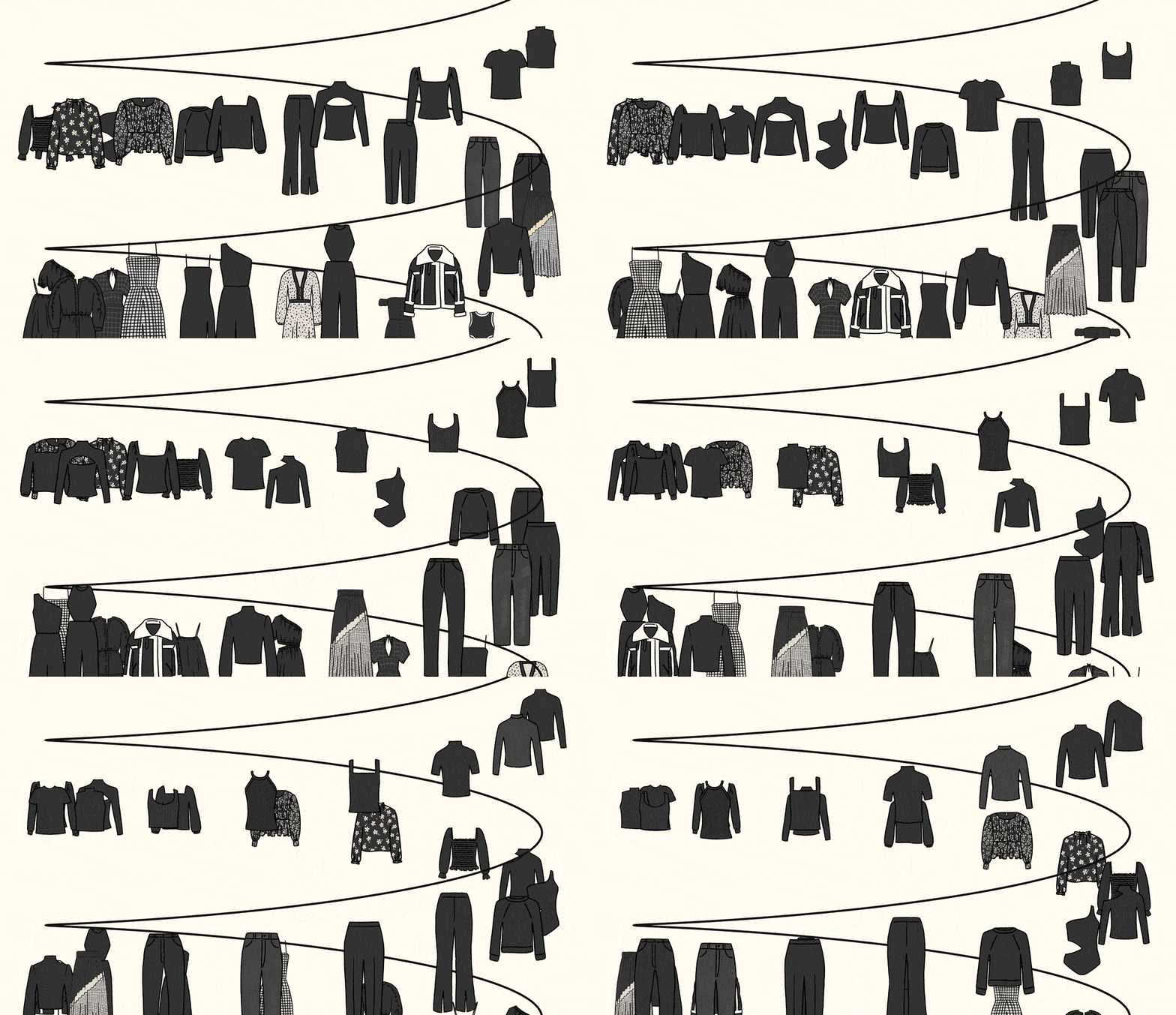
Screensaver mode
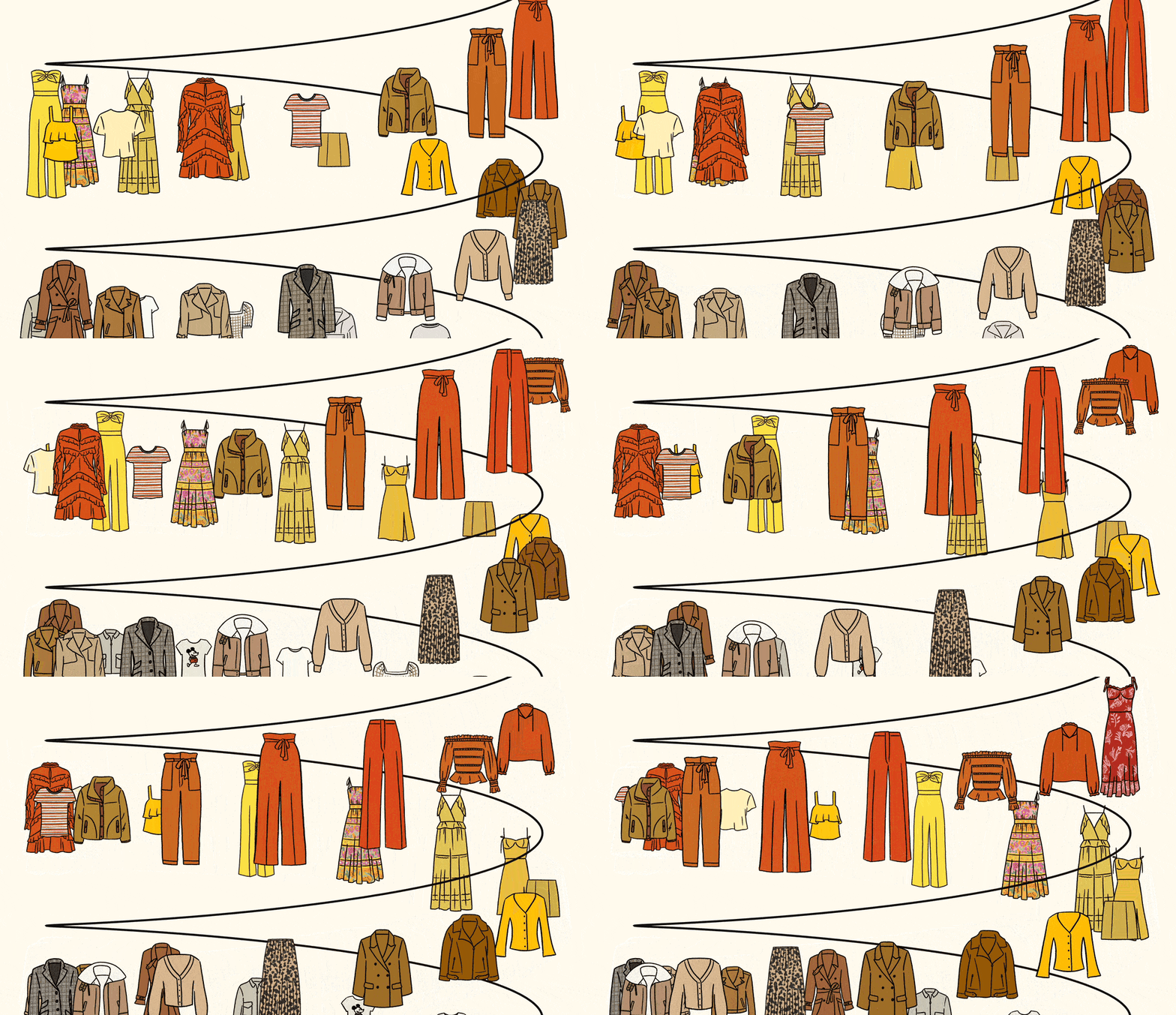
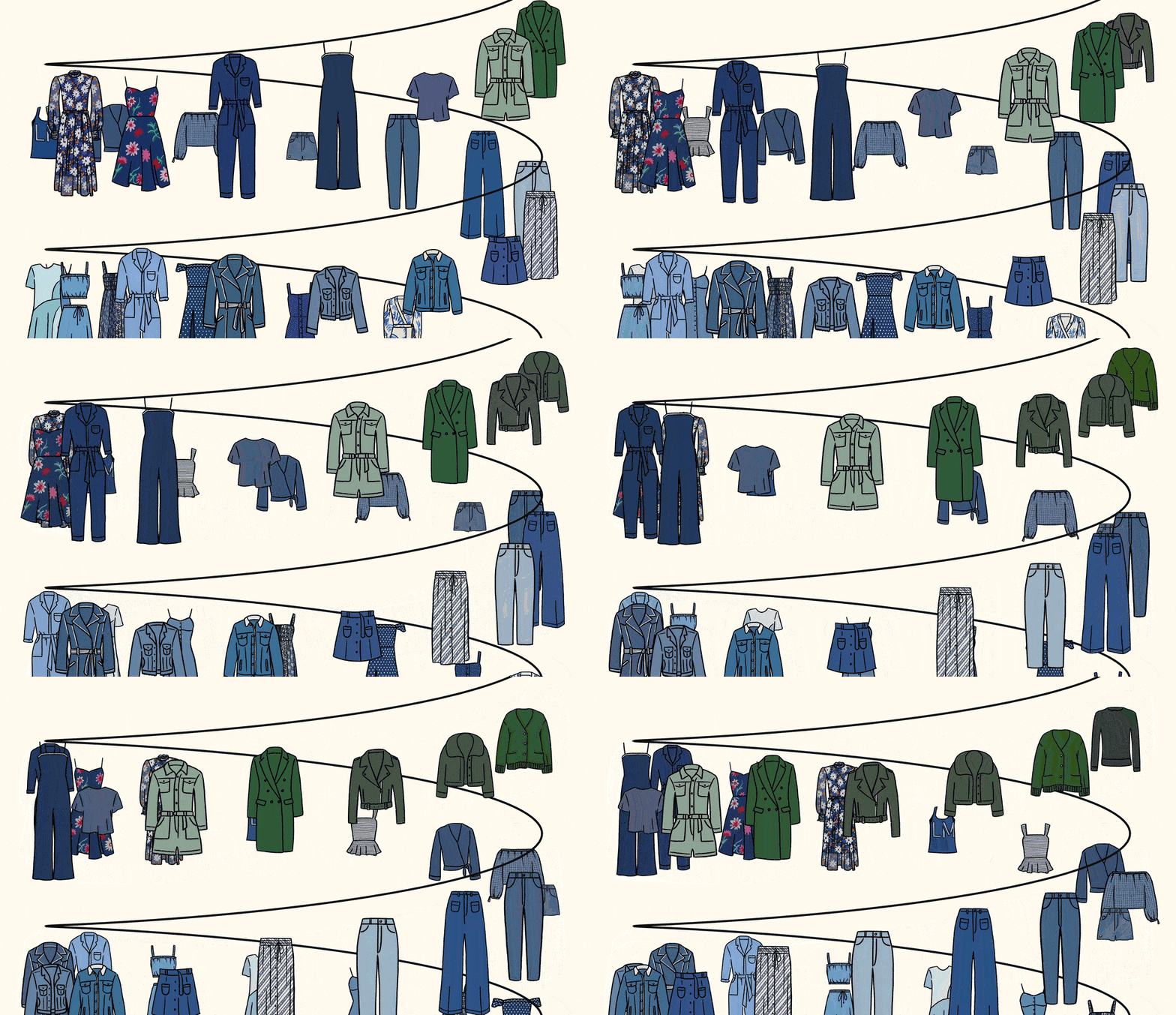
After 30 seconds of idle time, the site transitions into a slow rotating carousel of my entire closet (color-sorted, of course) so I can just sit and watch my beautiful clothes go by.
Cher’s closet may be the dream for a certain age demographic, but my equivalent was always the Hannah Montana closet. This screensaver is my homage to a show that had a very special place in my childhood. (Right in time for the 20th anniversary.)
What I Learned
For technical details, feel free to dig into my Github repo.
AI has fundamentally reordered product development. Engineering implementation, once the longest stage of any project, is now one of the shortest. It almost feels anticlimactic to say this complex project took maybe two hours to build. But while AI did the heavy lifting, I came away with a few learnings.
All those back-and-forth sessions with Claude forced me to get better at speaking “engineer” and describing things precisely in plain English.
Every time Claude mentioned something I didn’t understand, I asked it to explain what it’s doing in non-technical terms, and through that process, built my own technical knowledge. Databases and frameworks and hooks and temperature sampling and client-side vs server-side limitations… I had to understand the complexity to make informed decisions around features that required third-party integrations.
A good CLAUDE.md file is underrated. It’s the most effective way to offload context (aka my mental load) to my little agent to remember instead.
The initial build is fast, but tweaking is where the work is. The polish stage is what differentiates our work. The right font weights, line spacing, alignment, drop shadows, etc give it that signature look and designer feel. I got to indulge in endless rounds of scope creep, to the point where I found myself internally negotiating bedtimes just to keep building. I built in little features I would actually use, and added moments of delight that bring me joy.
I also miss designing for desktop! You don’t need to isolate every interaction into a single action or view when there is so much real estate to work with.
What’s next?
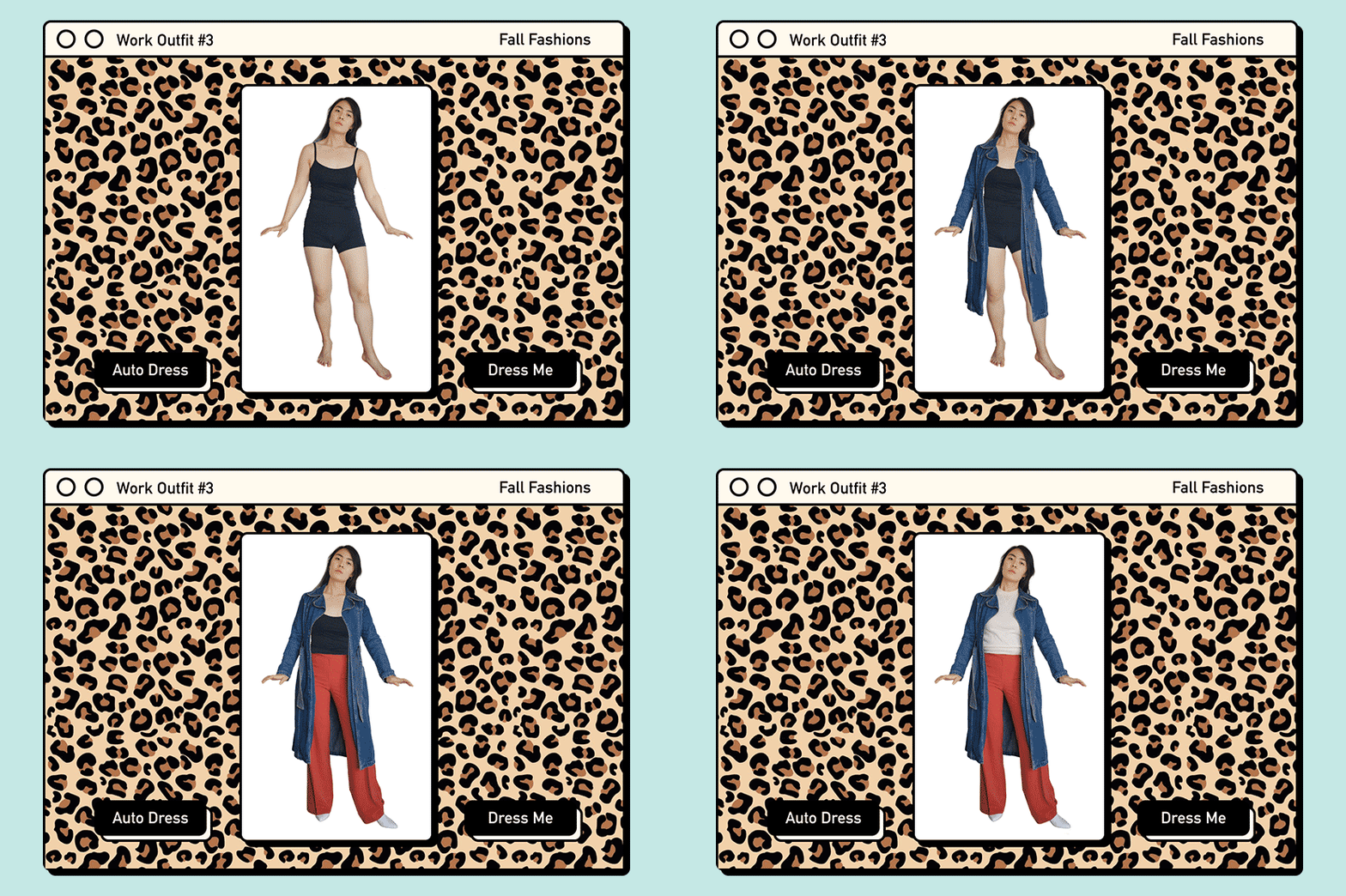
I could keep going. There are drag-and-resize improvements I could make to the outfit creator canvas, and the paper doll try-on experience is still sitting on the backlog. But until image generation technology improves, I'd rather leave uncanny photorealistic try-on renders out of the picture. I can't control the accuracy of the output, and accuracy matters when it's your face.
But I’ve been thinking about all this at a deeper level.
Now that it’s easier than ever to build, the amount of AI slop out there is overwhelming, and frankly, soulless. Experimentation and play are valuable. But at some point, once everyone has burned tokens building their own mediocre versions of existing productivity apps, what do we do with the digital residue? What's the carbon cost of another vague prompt generating another swath of unusable code?
In an era where most people are racing to ship anything and everything, I want to work on craft. Delightful animations, sound effects, easter eggs… these are the touches that make a piece of work feel human. Creative decisions can’t be delegated to agents, and as a maker, I’m not going hand over the parts of art and creation I love the most: the design decisions, the ideas, the meandering sentences that go on slightly too long. Outcomes over output. We shouldn't lose sight of why we build in the first place.
This project was a genuinely fun learning experiment. The harder question is figuring out what I actually want to build next.


Browse your wardrobe, build outfits (manually or with AI), save looks, and plan packing lists for trips. I finally built my version of Cher’s closet (with zero technical knowledge).